
SayIt
A native macOS menu bar dictation app that turns speech into text from a global hotkey, supports local Whisper transcription, and stays out of the user’s way.
- Product Design
- SwiftUI
- macOS Development
- Interaction Design
- AI Integration
- Period
- March–April 2026
- Status
- Signed, notarized macOS release · v1.0.5
Case study at a glance
- Problem
- Dictation should fit into active writing without switching to a full app.
- Design decision
- Global-hotkey capture, a compact HUD, and selectable Apple Speech or local Whisper transcription.
- Result and scope
- Public v1.0.5 release on GitHub. Fully local transcription applies to Whisper mode.
Jump to a section
The Opportunity
SayIt started from a simple productivity gap. System dictation surfaces a modal that interrupts writing flow. Cloud transcription tools work, but they round-trip every word through somebody else's server, and they break the moment the network does.
I wanted the utility to feel closer to a system shortcut than a standalone app: trigger it from anywhere, transcribe locally, paste the result, and keep writing in the same window.
Why a Menu Bar Utility
A full-window app would have undercut the entire point. Voice-to-text works best as a productivity primitive when it disappears between uses: visible enough to invoke, quiet enough to ignore. The menu bar gives the app a permanent home without taking over the workspace.
Building it as a native macOS app (rather than an Electron wrapper) was a deliberate choice. The product is judged against system utilities, not against other apps; it has to feel like Spotlight, not like a browser tab.
From Idea to v1.0.5
I designed, built, signed, notarized, and shipped SayIt through GitHub Releases. The phases below trace the path from a SwiftUI sketch to a public macOS binary.
- 01
Concept
Defined the product as a menu bar dictation utility: global hotkey, one primary action, no full-window UI, and on-device transcription by default.
- 02
SwiftUI Prototype
Stood up the popover surface, microphone selector, and engine settings to validate that the entire interaction could live inside a small floating panel.
- 03
whisper.cpp Integration
Wired in on-device Whisper for fully local transcription, including model selection and fallback behavior when a model is missing or downloading.
- 04
Hotkey & Permissions
Implemented global hotkey capture, microphone access prompts, and Accessibility-permission flows so the app could be triggered from any active window.
- 05
Notarization & Distribution
Set up signing, notarization, and a GitHub Releases pipeline so the app installs cleanly on macOS without Gatekeeper warnings.
- 06
Public Release (v1.0.5)
Iterated through five public versions, refining microphone resilience, HUD feedback, and onboarding based on usage in my own daily workflow.
Product Surface & Core Controls
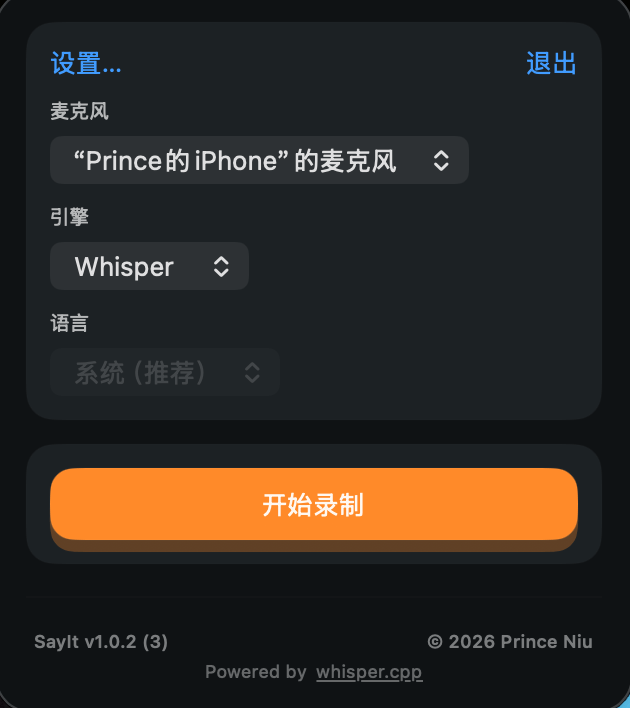
The product centers on a compact popover: one primary action, a microphone selector, a transcription engine choice, and lightweight status messaging. The interface stays quiet until needed, which fits a utility better than a traditional full-window app.
The design decision behind this surface was to resist feature creep. Every additional control would have pulled the app further away from "press hotkey, talk, paste."
One-Toggle Recording Flow
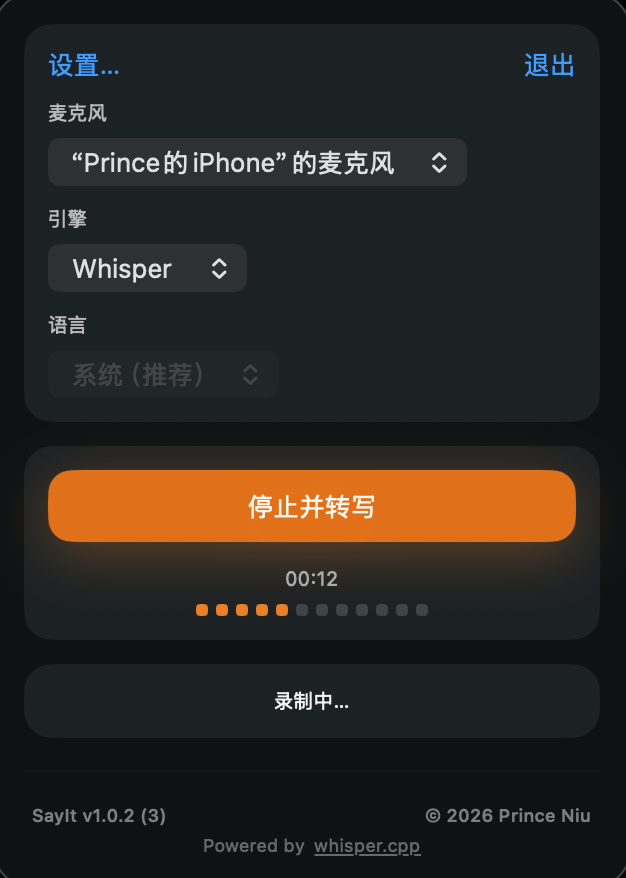
Interaction was reduced to a reliable toggle: start recording, stop and transcribe, then copy the result automatically. Recording duration, live audio level, slow-transcription hints, and menu bar HUD feedback keep the app understandable without making it visually heavy.
The HUD itself does most of the work. Once the hotkey is muscle memory, the user does not need to look at the popover at all; the menu bar icon and a brief overlay are enough to confirm the system is doing the right thing.
Local Transcription with Whisper
Whisper mode runs through whisper.cpp on the Mac. Once the model is available locally, transcription works offline, avoids per-request cost, and keeps the audio processing on the device.
SayIt also offers Apple Speech. Its recognition path depends on Apple’s system and language support; the v1.0.5 implementation does not require on-device recognition. The fully local guarantee therefore applies to Whisper mode, not every available engine.
The trade-off with Whisper is model size and cold-start cost. Users can choose a smaller local model for speed or a larger one when accuracy matters more.
The Permissions & Hotkey Wall
The hardest part of shipping a macOS utility was not the core feature. It was the trust gradient the OS demands. SayIt needs Microphone access to capture audio and Accessibility access to paste into other apps. Each prompt is a place users can drop off, and each one is rendered by macOS, not by the app.
The fix was to design the onboarding around those prompts instead of around the app's own UI: explain why each permission is needed before macOS asks, and give the user a recoverable path back to permissions in System Settings if they decline. The hotkey itself uses standard global hotkey APIs, with a settings surface that lets the user rebind it without restarting the app.
Device Resilience & Ecosystem Fit
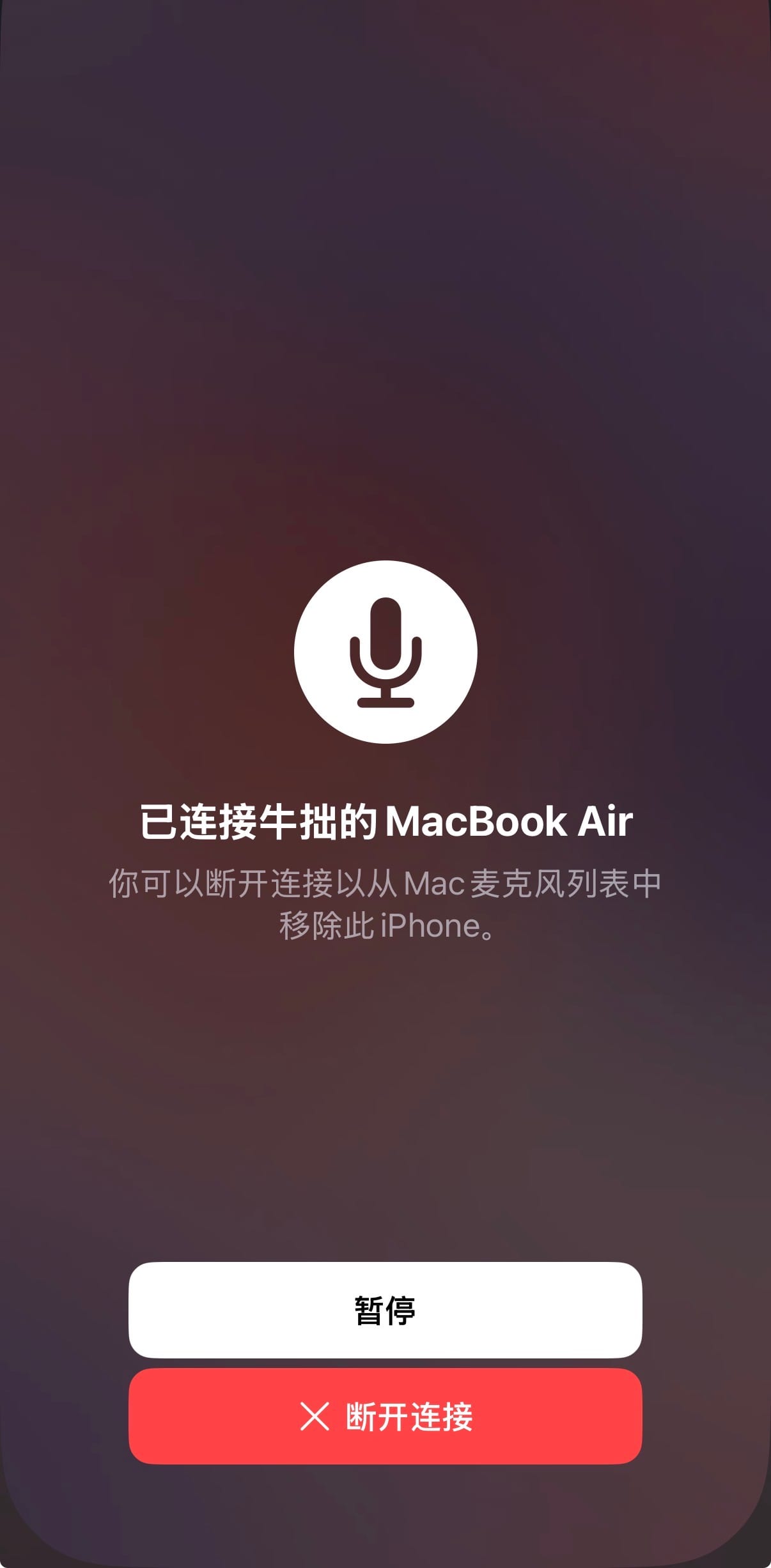
Microphone reliability turned out to be the most fragile part of the product. Devices appear and disappear constantly: Bluetooth headsets, external interfaces, Continuity mics, lid closures. A transcription utility that loses input mid-sentence is worse than one that never started.
The app handles device changes explicitly: it watches for input route changes, falls back to a sensible default when the chosen mic disappears, and supports Continuity microphone handoff so iPhone-as-mic works in clamshell and external-monitor setups without any extra setup from the user.
Shipping a Notarized macOS App
The codebase had to clear three bars to be installable by anyone but me: code signing with a valid Developer ID certificate, Apple notarization for Gatekeeper, and a clean release artifact distributed through GitHub Releases.
Each step is small in isolation and painful in combination. Entitlements, hardened runtime, notary submission, stapling, and download-link plumbing all have to align before a stranger can double-click the app and have it just open. Getting that pipeline reliable is what made v1.0.5 shippable without manual work every time.
The result is public and installable today. Download the signed, notarized SayIt v1.0.5 DMG from GitHub Releases: github.com/princeniu/SayIt/releases
Build Snapshot
SayIt has a small surface area, but the depth is real. Audio capture, transcription, permissions, and distribution all had to be production-ready before a downloaded binary could feel clean to a new user.
- Solo product execution
- Designed and built solo across product surface, audio pipeline, transcription engine, permissions UX, and signed/notarized distribution.
- Engine-specific privacy
- Whisper mode processes audio locally. Apple Speech is a separate selectable engine; its processing path is not covered by the local Whisper guarantee.
- Resilient to real ecosystems
- Handles input device changes, supports Continuity microphone handoff, and degrades predictably when permissions or models are missing.

Reflection
SayIt is the project where I stopped designing for a deck and started designing for a binary. Popover density, HUD timing, model choice, and permission copy all had to answer the same question: does this still feel like a system utility, or does it feel like an app?
For the portfolio, SayIt is my clearest example of turning a focused product idea into shipped software: define the problem, shape the interaction model, choose the right technical path, and deliver a signed, notarized macOS product that people can download today.
Explore more work
Shengjian
A private classroom companion that connects bilingual captions, learning markers, and timestamped photos with replay, course organization, and study notes.
View case studyClipmori
A native macOS clipboard history app built around an everyday need: find something copied earlier, preview it, and paste it again.
View case study