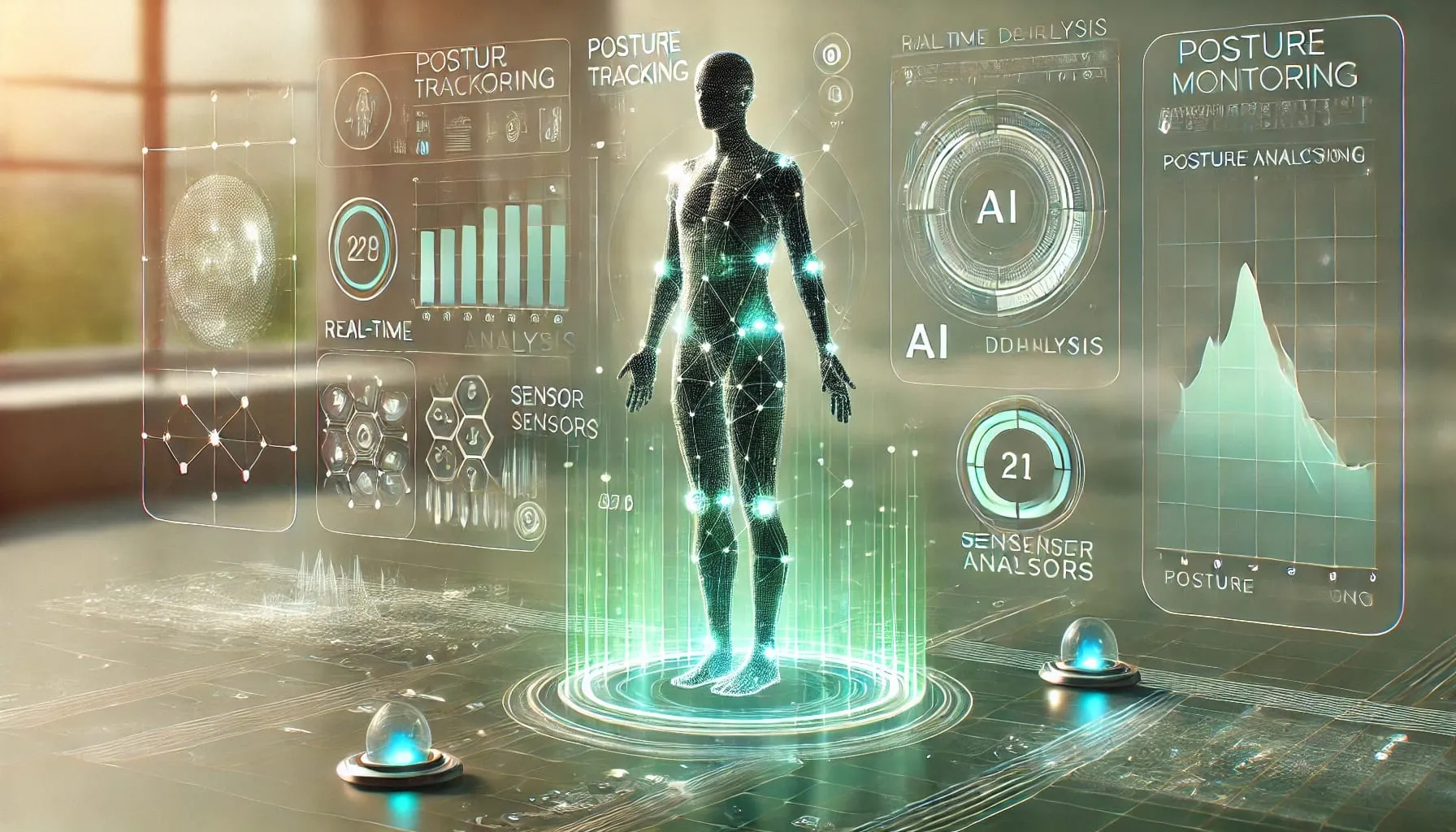
Posture Checker
A React Native posture-monitoring app paired with a BLE sensor, with pairing, live feedback, progress views, and corrective reminders.
Jump to a section
Why Posture, Why Build the Hardware Too
I spend most of my day at a desk, and most existing posture apps either rely on the phone's gyroscope (which only works when the phone is strapped to your back) or on camera-based detection (which forces a specific seating position and feels invasive). Neither survives a normal workday.
I wanted to test whether a small dedicated sensor, paired over Bluetooth Low Energy with a phone the user already carries, could close that gap: continuous, low-friction feedback that still lives in a familiar mobile interface.
Problem Discovery
A scan of existing posture apps showed a recurring pattern: live feedback was either intrusive (frequent buzzes for momentary slouches) or absent (only end-of-day summaries). Behavior change needs the middle ground: feedback that fires when posture stays poor long enough to matter, paired with trends the user can check without effort.
That framing gave the project two non-negotiables: a sensor that captures posture continuously without depending on phone placement, and a reminder model that respects the user's attention while still being useful day to day.
Process Timeline
As a solo designer-builder, I treated the project as one continuous loop: design constraints fed hardware decisions, hardware behavior reshaped the UI, and the UI exposed new questions for the data layer.
- 01
Research
Audited posture apps and wearables; defined target users (knowledge workers and students with sedentary days) and the core feedback gap.
- 02
Hardware Prototyping
Built an Arduino-based posture sensor with BLE broadcast to validate that a small, battery-friendly device could stream posture data continuously.
- 03
System Architecture
Defined the data flow from sensor to React Native app to local storage and Firebase, including reconnection and offline behavior.
- 04
UX Design
Wireframed a single-dashboard mobile experience around live status, daily goals, trends, and quick settings.
- 05
BLE Integration
Implemented the pairing flow, live data stream, and reconnection handling, the part of the system most likely to fail silently in the real world.
- 06
Feedback Loop Tuning
Added thresholded push notifications so the app reacts to sustained poor posture instead of every momentary slouch, then refined trends and history around what users would actually want to review.
System Architecture
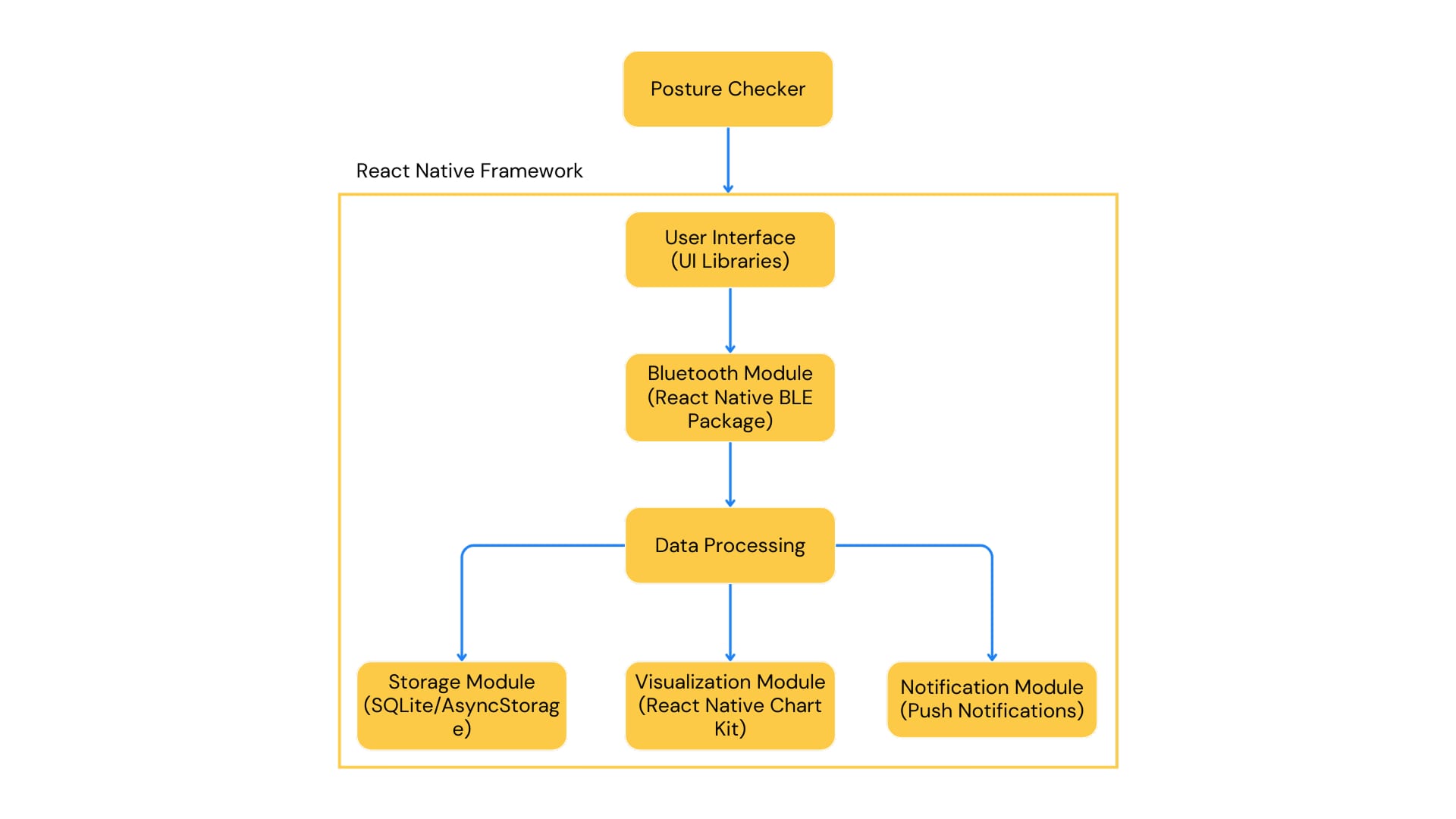
The architecture spans a BLE posture sensor, a React Native client (iOS + Android), local storage for offline resilience, Firebase for sync and auth, charting for trends, and push notifications for correction. Because I was designing and building the system solo, every layer had to stay deliberately simple.
User Activity Flow
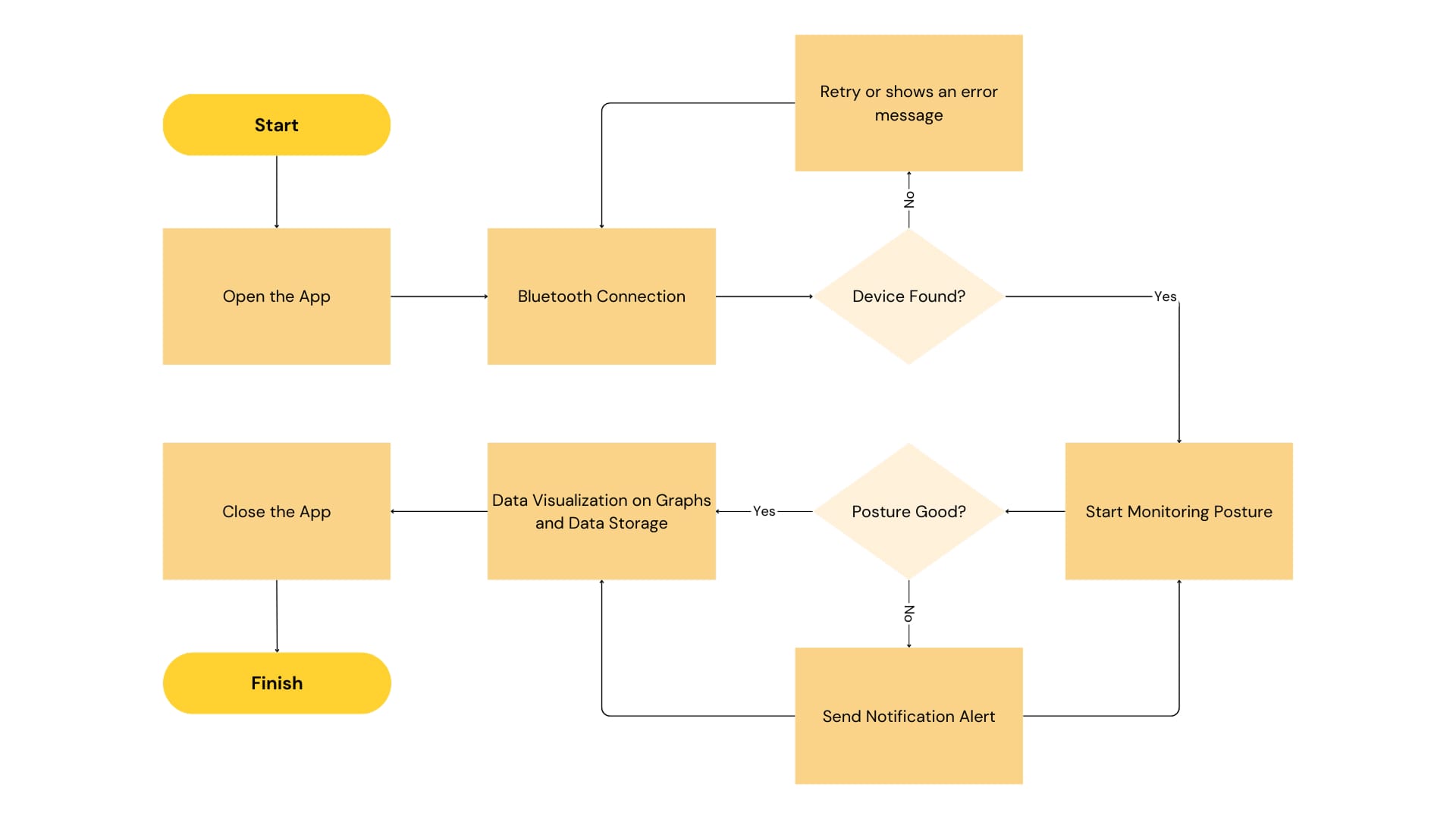
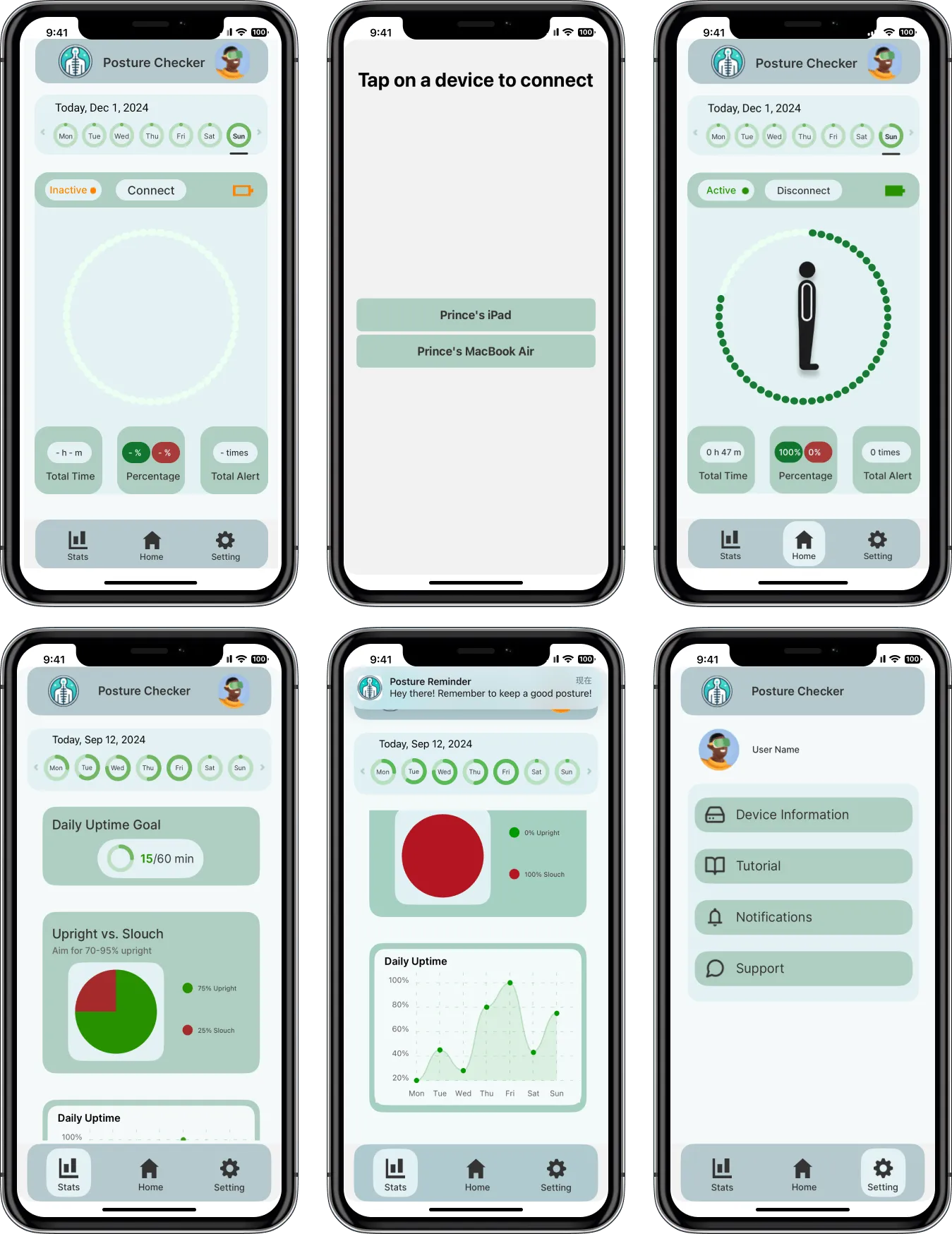
The user flow covers app launch, Bluetooth pairing, device detection, live posture analysis, corrective notifications, and progress visualization. Pairing was treated as a first-class moment, not a hidden settings step, because the value of the product depends on it working the first time.
Hardware & Connectivity Decisions
BLE was chosen over USB or Wi-Fi for three reasons: it preserves all-day battery life on a small wearable, it pairs cleanly with a phone the user already carries, and its connection model (advertise → connect → stream) maps onto a mobile UX that can recover gracefully from disconnects.
Sampling was set to 1 Hz. Higher rates added battery cost and noise without changing the behavioral signal. Sustained posture over several seconds matters more than millisecond-level movement. Local storage keeps the raw stream so trends and history still work without a network connection.
Wireframes
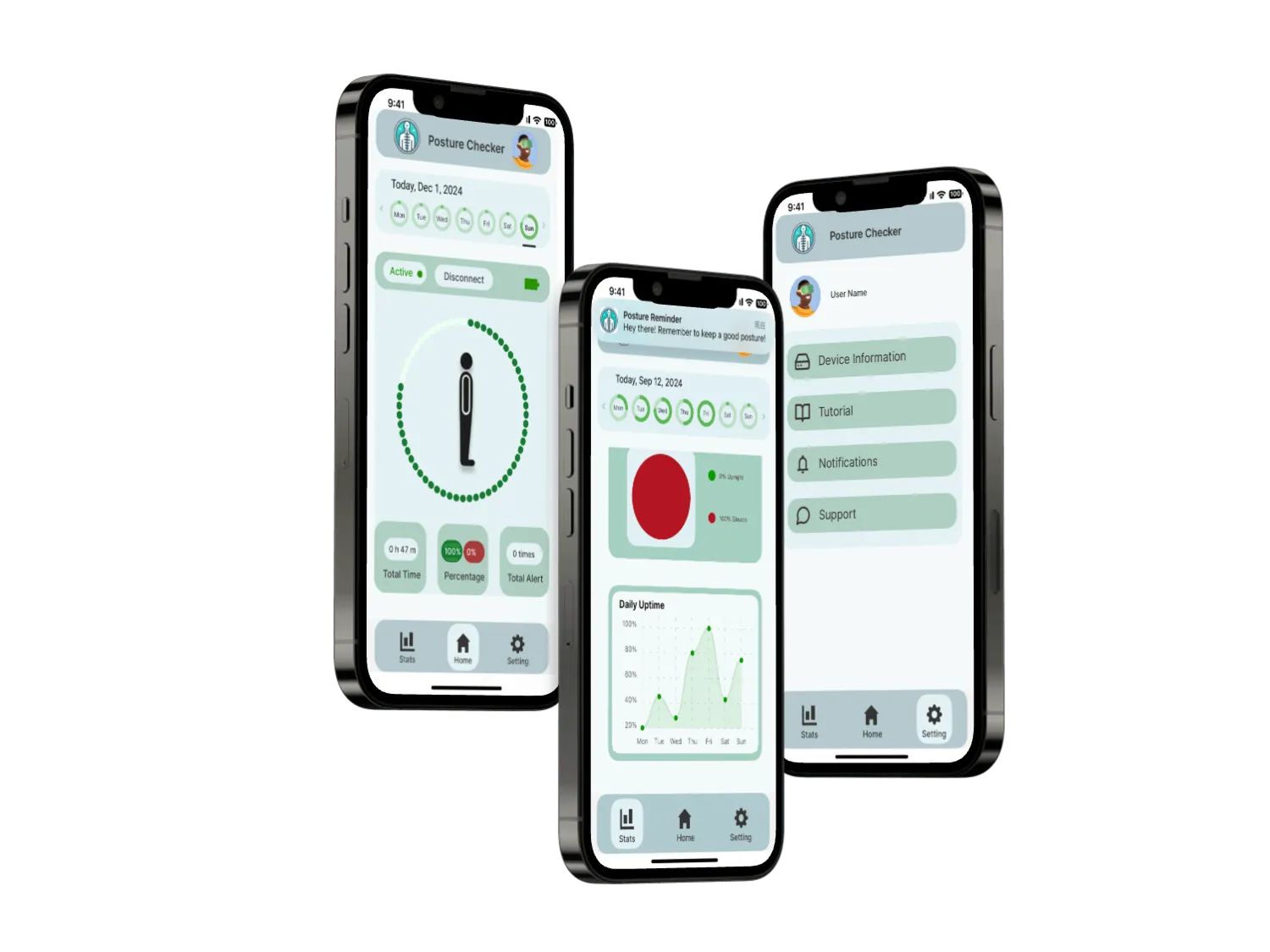
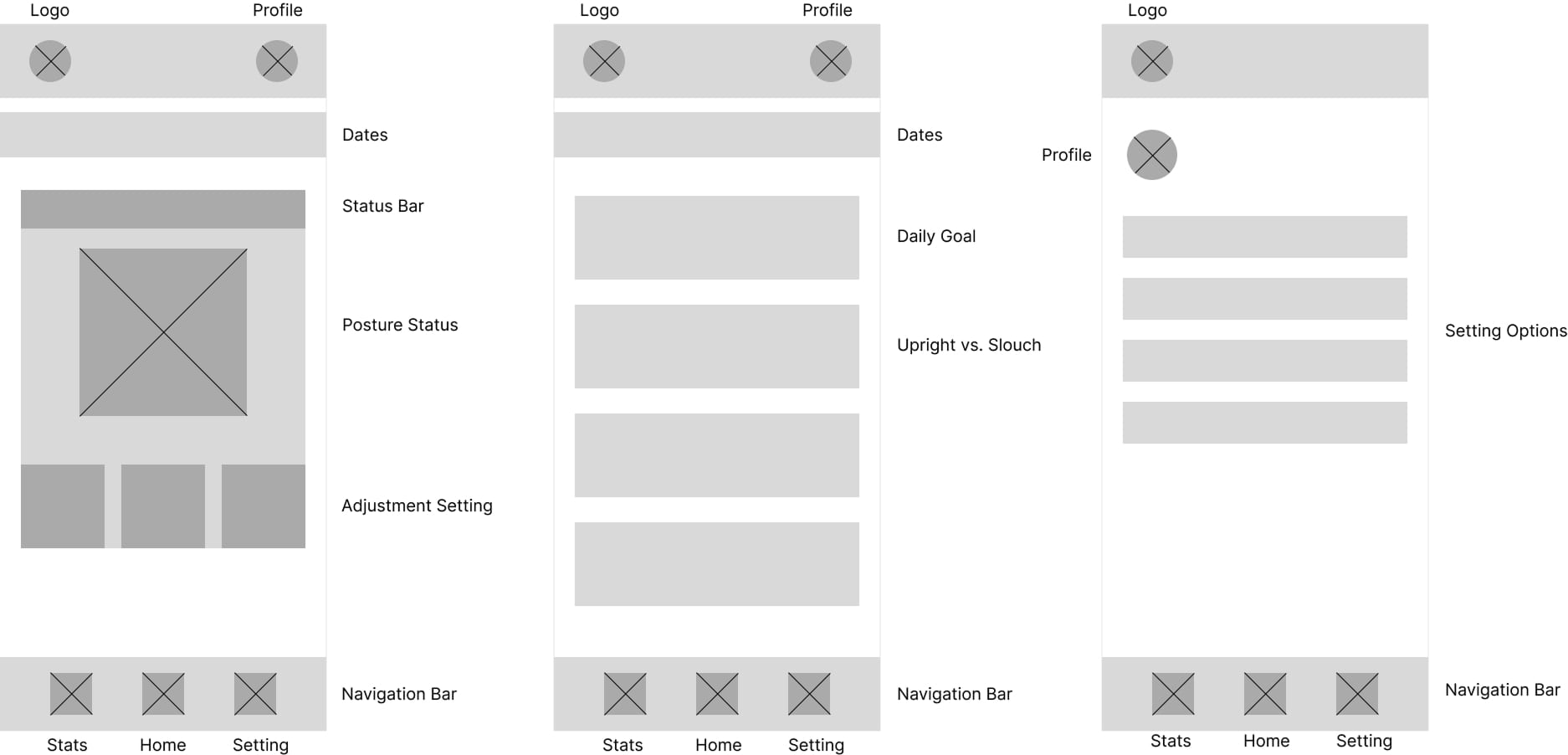
Wireframes organized posture status, daily goals, settings, stats, and core navigation into a single-dashboard structure. The bet was that a quick check-in (a few seconds, a few times a day) is more useful than a deep app the user has to "open and explore."
High-Fidelity Prototype
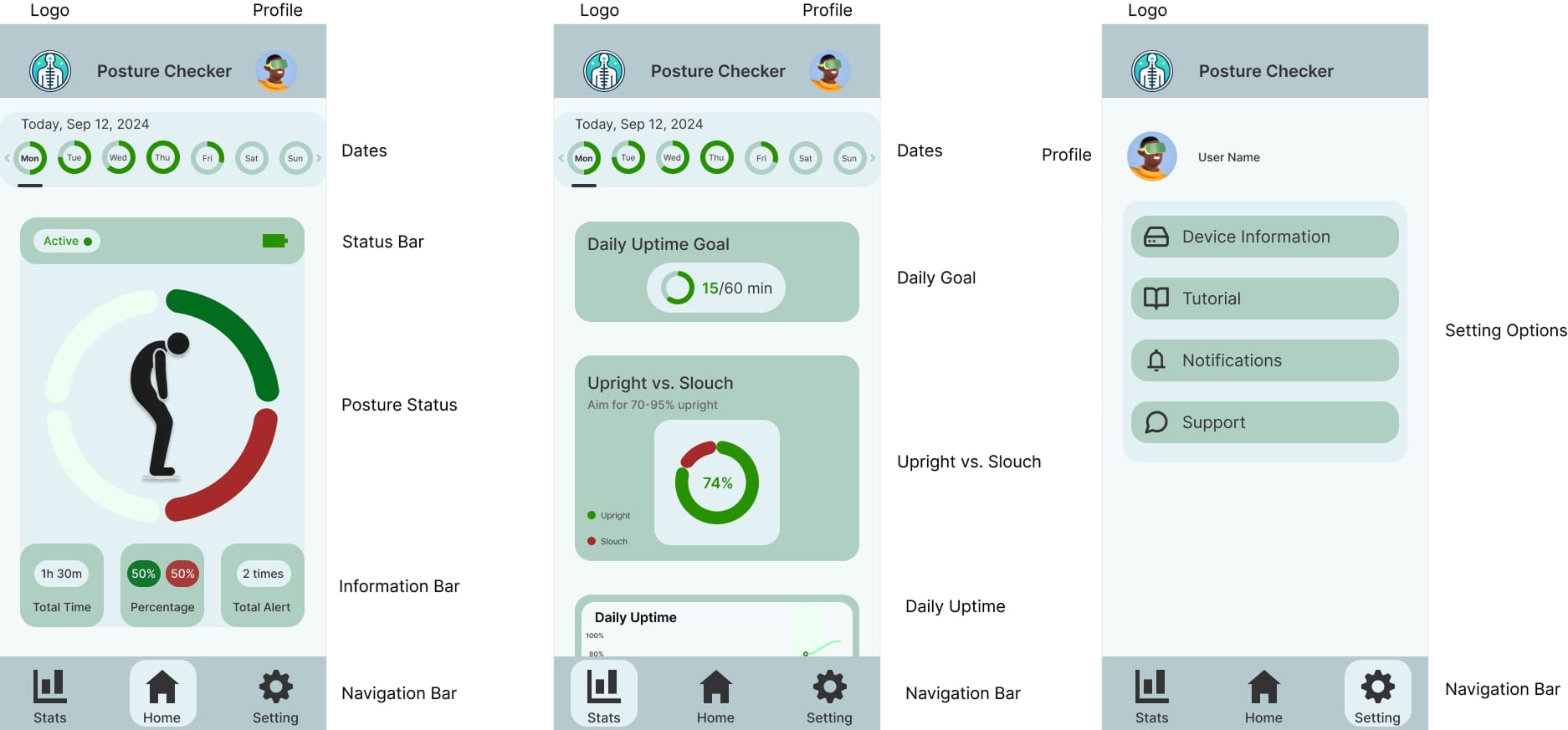
The high-fidelity prototype tightens tracking, goal progress, analytics, and settings into an approachable surface for repeated daily use. Information density was intentionally low: the home view answers "how am I sitting right now?" before anything else.
Designing the Feedback Loop
The riskiest UX decision in the product was when to interrupt the user. Notifying on every slouch trains the user to ignore the app; only summarizing at end-of-day misses the moment when correction matters.
I settled on a sustained-threshold model: feedback fires when poor posture persists past a configurable duration. Combined with trend visualizations, it turns the app from a nag into a habit-building surface. The user sees "today vs. yesterday" instead of only "you are slouching again."
Build Snapshot
The build covered the full product surface: a hardware-paired mobile app, the interaction model around pairing and reminders, and trend views that make posture habits visible.
- Hardware-software integration
- Designed and implemented the BLE pairing flow connecting the React Native app to a custom posture sensor, including reconnection handling and live data streaming.
- Feedback loop
- Push notifications fire when poor posture persists past a threshold, supporting behavior change without nagging users for momentary slouches.
- Information surfaces
- Live status, daily goals, historical trends, and good-vs-slouch visualizations were unified into a single mobile dashboard for quick daily check-ins.
Reflection
Posture Checker was the project where I stopped treating "design" and "engineering" as separate phases. The hardware constraints (battery, sampling rate, BLE reconnection) reshaped the UI; the UI revealed which data the system actually needed to keep; and the feedback loop only worked once design intent and the data pipeline were tuned together.
The shipped build proved that a single designer-builder can take a hardware-integrated mobile product from concept to a working multi-screen experience. The next iteration I would prioritize is on-device trend modeling, so more of the system can adapt without relying on a cloud round trip.
Explore more work
TrekAssist
A solar-powered e-ink guide concept for Yellowstone visitors, shaped through UX/HFE research to support outdoor navigation, emergency response, safety alerts, and low-power interaction.
View case studyLittle Lemon Restaurant
A restaurant booking and ordering experience for clearer navigation, accessible mobile use, and a reservation flow that gets out of the diner’s way.
View case study