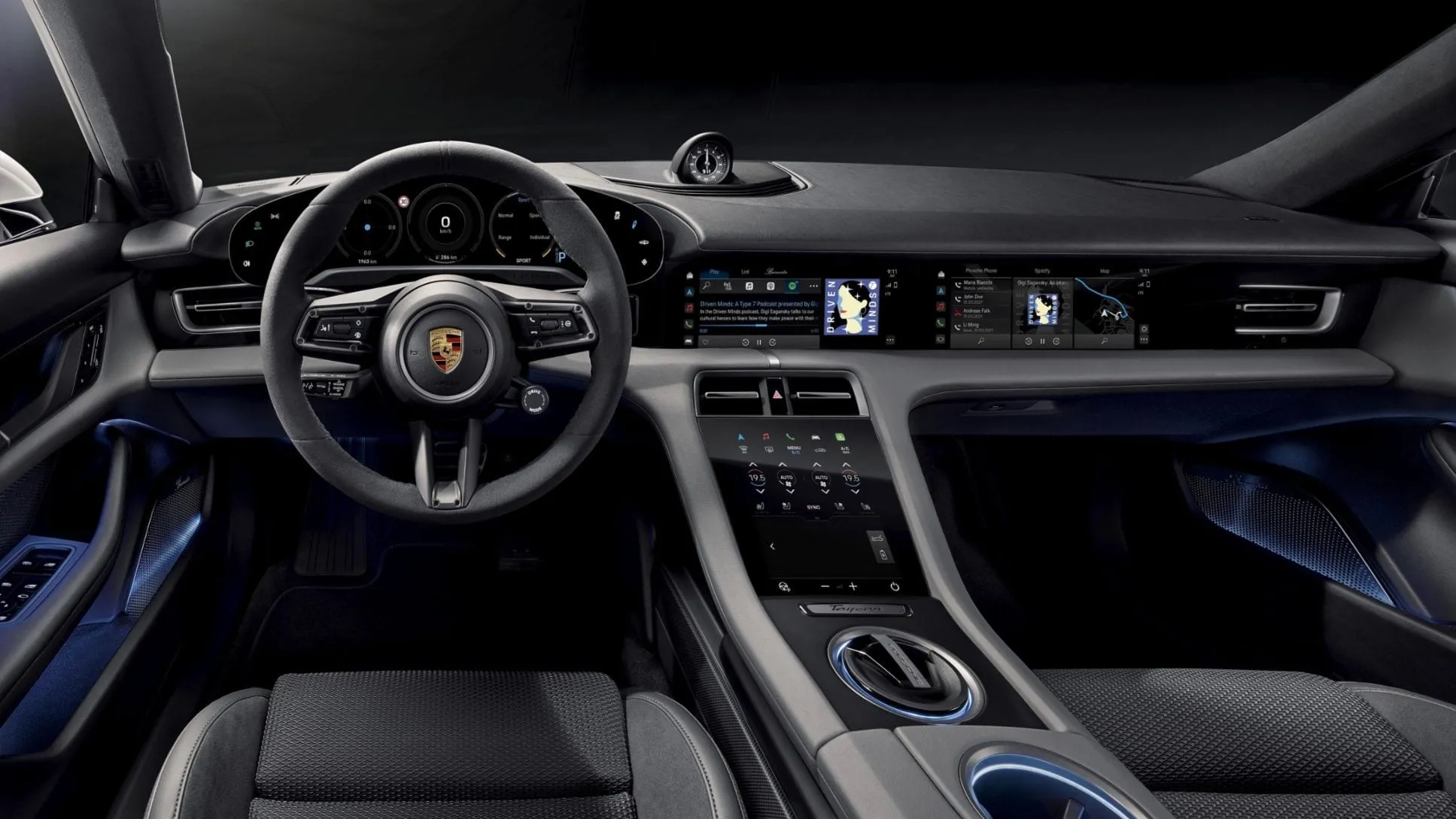
Porsche Digital Interface
UX/UI internship work for Porsche Communication Management, with a focus on navigation flows, voice interaction, and safer multimodal control in the Taycan cockpit.
Jump to a section
Internship Context
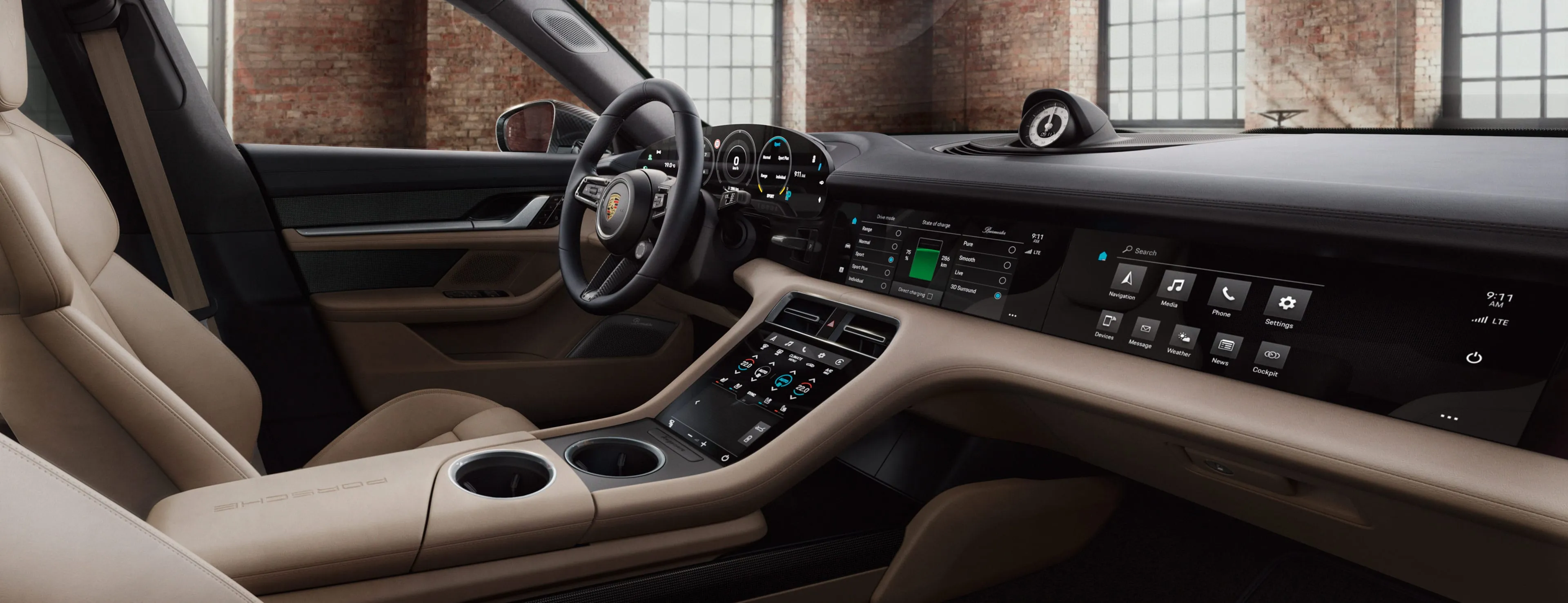
I joined Porsche Asia Pacific as a UX/UI design intern on work related to Porsche Communication Management, the in-car infotainment surface drivers and passengers use for navigation, media, climate, voice, and assistance features.
My work centered on the Taycan-class digital cockpit: improve navigation, voice control, and AI-assisted flows under driving conditions, then turn those design decisions into component-level specs engineering could implement clearly.
The Problem
As in-car software gets more capable, the cost of a confusing flow goes up. A driver pulling onto a freeway should not have to think about where a control lives, whether voice is listening, or whether a system action has actually been accepted.
The design challenge was to reduce flow complexity, improve interface responsiveness, and let touch, voice, and AI assistance support the same task. Drivers should be able to use the safest modality in the moment, even when that control is not the one most visible on screen.
Process Timeline
The work moved through research, flow mapping, low-fidelity exploration, high-fidelity design, engineering hand-off, and post-hand-off optimization. The important part was the back-and-forth between design intent and what the platform could render under load.
- 01
Discovery & Audit
Reviewed existing PCM flows, competitive automotive HMIs, and driver-distraction guidance to scope which surfaces deserved redesign first.
- 02
Flow Mapping
Mapped voice, navigation, cruise, lane-keeping, and parking-assist flows, including failure, retry, and re-entry paths.
- 03
Wireframing
Tested grid menus, quick-control bars, and voice-command surfaces in low fidelity to compare information density, reach, and glanceability.
- 04
High-Fidelity Design
Refined the layout, type scale, motion, and color treatment for in-car readability across varying ambient light conditions.
- 05
Engineering Hand-Off
Documented component-level UI specs, motion behavior, and edge-case states so engineering had one canonical source of truth per surface.
- 06
Performance Optimization
Iterated with engineering on micro-interactions and asset weights so the handed-off surfaces stayed inside the platform's rendering budget.
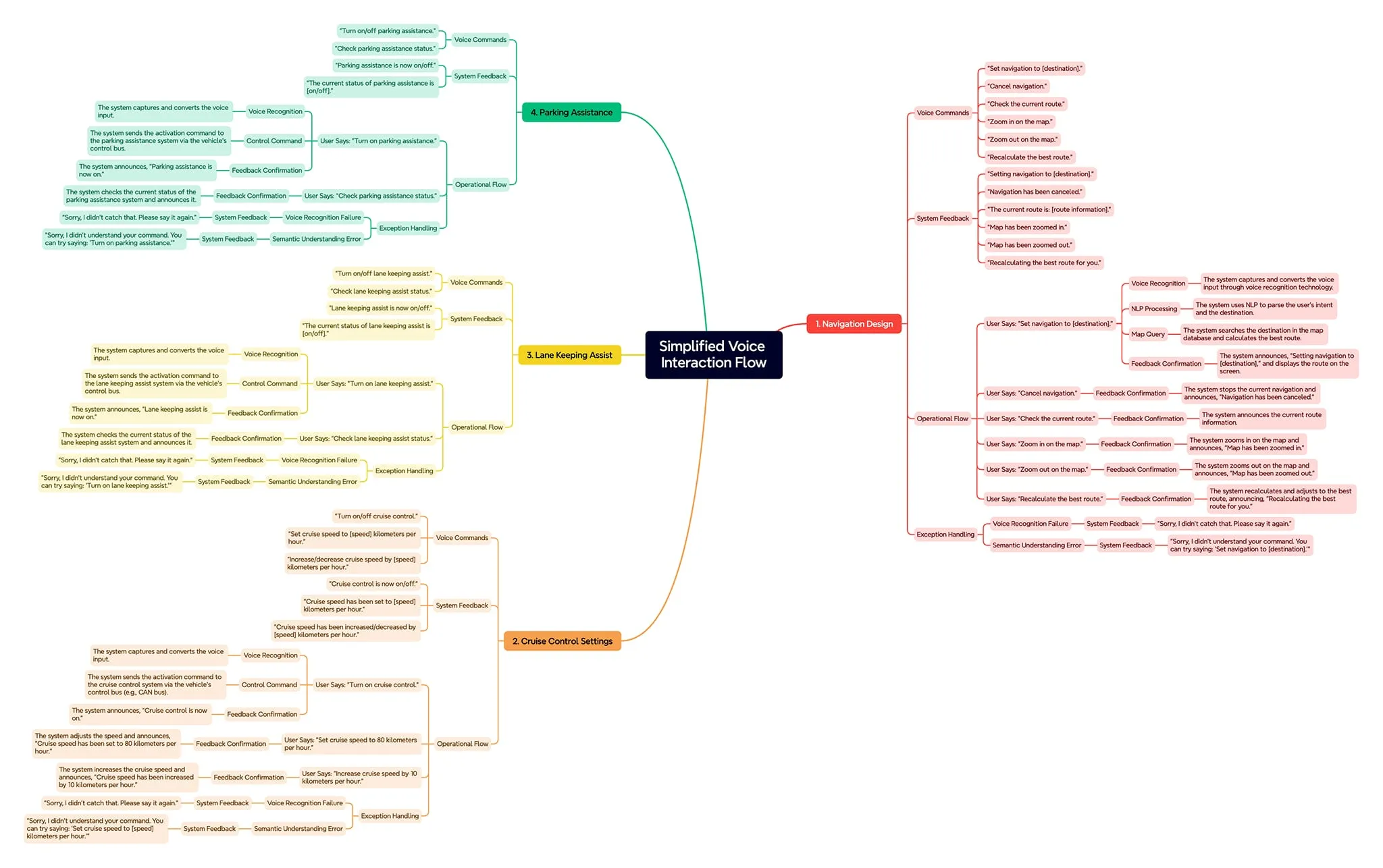
Mapping the Voice Flow
Before drawing any screens, the voice flow had to be readable from trigger to recovery. The flowchart maps listening, confirmation, action, and error-recovery paths for navigation, cruise control, lane keeping, and parking assistance. It also covers what the system says when it does not understand, and how the driver gets back to a safe default state without staring at the screen.
This artifact was as much a contract with engineering as it was a design tool: it defined which prompts were allowed where, what feedback the driver would always receive, and where AI suggestions could appear without forcing a confirmation step.
Multimodal Design Principles
A driver's attention is finite and safety-critical. Setting a destination, changing climate, or accepting a cruise suggestion should work through whichever modality is safest in the moment, not only through the control currently visible on screen.
I worked from three principles: primary actions should be reachable through both touch and voice, AI suggestions should be glanceable and dismissible, and feedback should always confirm system state after a command. The driver should not have to look down just to verify what happened.
Wireframes
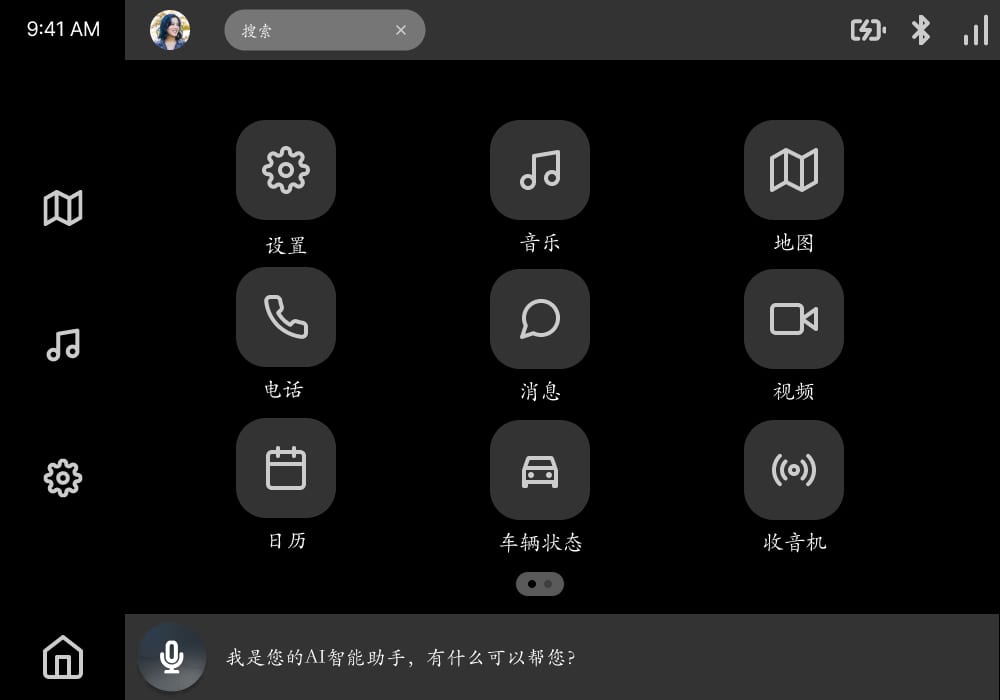
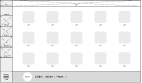
The wireframes explored a grid-based app menu, persistent quick-access controls, a voice-command bar, and system status feedback. The home view needed to be readable in a quick glance, with primary tasks no more than two interactions deep.
High-Fidelity Prototype
The high-fidelity prototype brought touch, visual hierarchy, and voice assistance together. Color and motion were tuned for in-car readability, and the layout reused shared primitives so the same component behavior carried across navigation, media, and assistant surfaces.
Optimizing for Load Time
The load-time improvement came out of a tight loop with engineering during and after hand-off. Component specs were rewritten to reuse shared primitives, animation durations and asset weights were tuned for the platform's rendering budget, and several redundant transition states collapsed into a single canonical path.
The lesson was that performance is not a downstream "engineering" concern. Hierarchy, transition complexity, and asset choice all affect how the interface feels under load. Treating hand-off as a continuation of design, not the end of it, is what made the win measurable.
Impact at a Glance
Iteration on micro-interactions and component-level UI specs translated directly into measurable performance and clarity gains during the engineering hand-off.
- Performance
- Iterative tuning of micro-interactions and asset weights measurably cut load time across the navigation, voice, and assistant surfaces.
- Cross-functional alignment
- Design rationale and interaction-flow walkthroughs aligned design and engineering on usability goals, visual consistency, and technical feasibility before development.
- Multimodal coverage
- Flows spanned touch, voice command, and AI-driven assistance, so drivers could complete the same task through whichever modality was safer in the moment.
Reflection
Designing for an automotive HMI sharpened how I think about attention budgets, error recovery, and the cost of every extra screen. The interface has to account for context the driver has no time to explain: weather, traffic, modality preference, fatigue. It cannot make the driver translate system state back into safety.
The most valuable habit I left with was treating the engineering hand-off as part of the design itself. Measurable wins like the 30% load-time reduction were the product of design and implementation iterating together, not of either side handing finished work over the wall.
Explore more work
Posture Checker
A React Native posture-monitoring app paired with a BLE sensor, with pairing, live feedback, progress views, and corrective reminders.
View case studyTrekAssist
A solar-powered e-ink guide concept for Yellowstone visitors, shaped through UX/HFE research to support outdoor navigation, emergency response, safety alerts, and low-power interaction.
View case study